No shared availability view
Requesters could not confidently see whether a camera, microphone or studio slot was already committed.
Nestlé · Service design · Enterprise UX · Development
A booking and return service designed to replace mostly offline coordination with visible availability, structured approvals, active-loan tracking, return checks and automated communication.

Context
Studio assets were largely requested through informal offline channels. Availability lived in people’s heads, chats and follow-ups. Staff had to confirm what was free, coordinate hand-over, remember return dates and resolve asset-condition questions without one shared lifecycle.
Requesters could not confidently see whether a camera, microphone or studio slot was already committed.
Studio staff became the human integration layer between requests, calendars, asset status and follow-up messages.
Condition checks, damage notes and evidence were difficult to keep consistent when the process was informal.
How might we make booking and returning studio assets self-service enough for employees, while giving studio administrators a reliable operational record?
Before state
Message or speak to the studio team.
Admin confirms dates and gear availability.
Clarify purpose, timing and accessories.
Equipment is loaned with limited status visibility.
Returns and condition issues are handled separately.
Research
Testing started with manual Power Apps prototypes. Feedback exposed gaps in calendar clarity, asset selection, time-slot visibility and administrator control. Each round informed the next design revision.
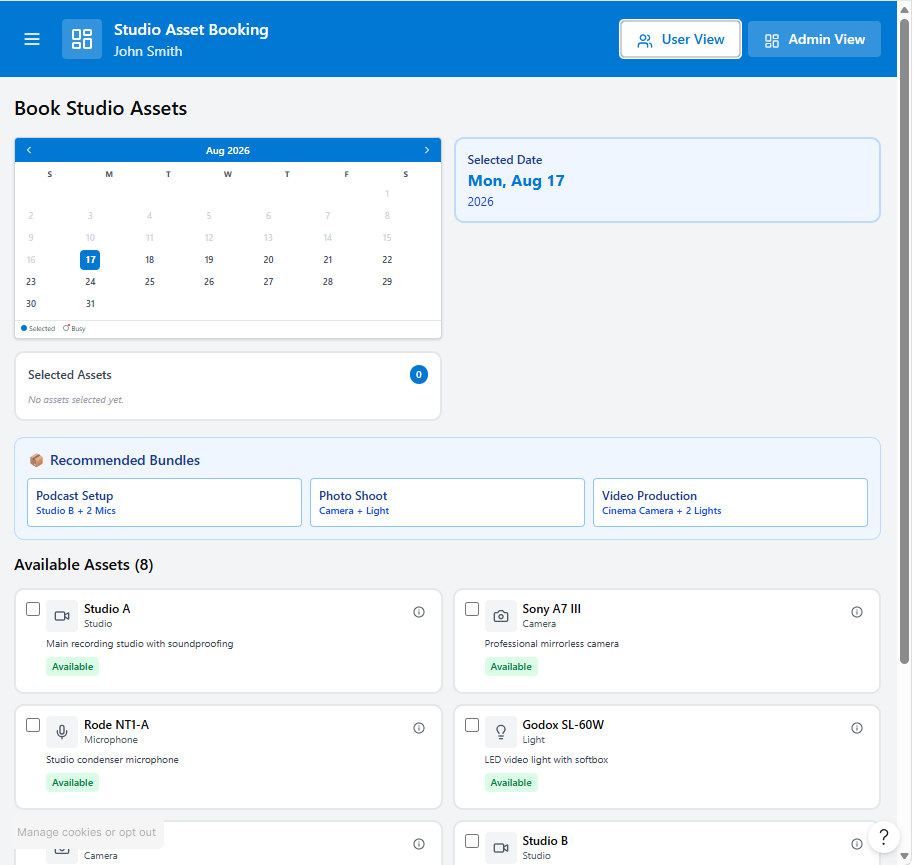
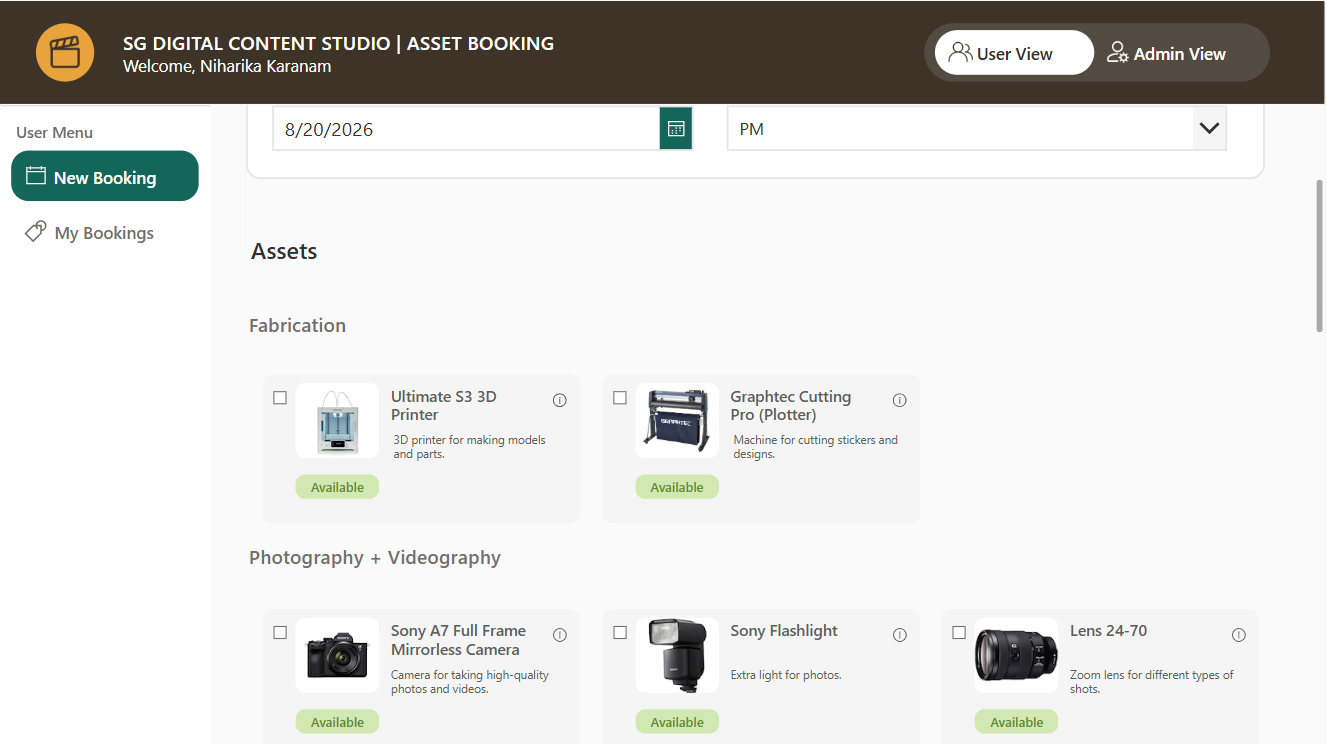
Users needed clearer availability, categories and a simpler way to understand what equipment belonged together.
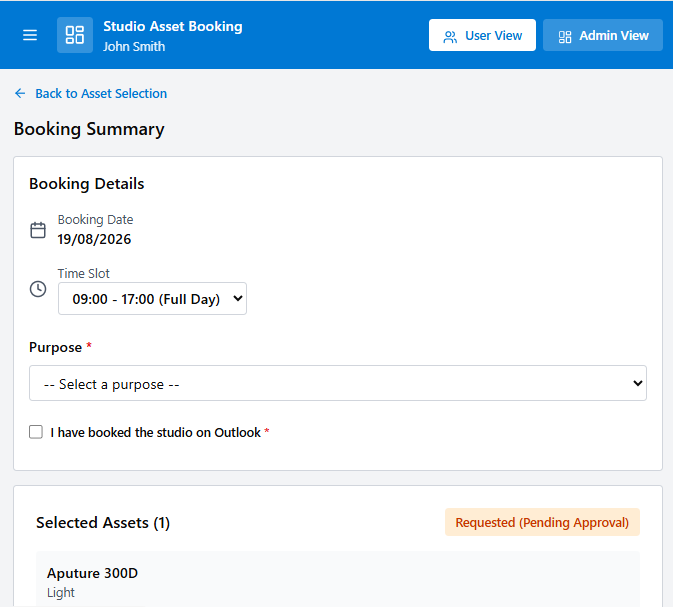
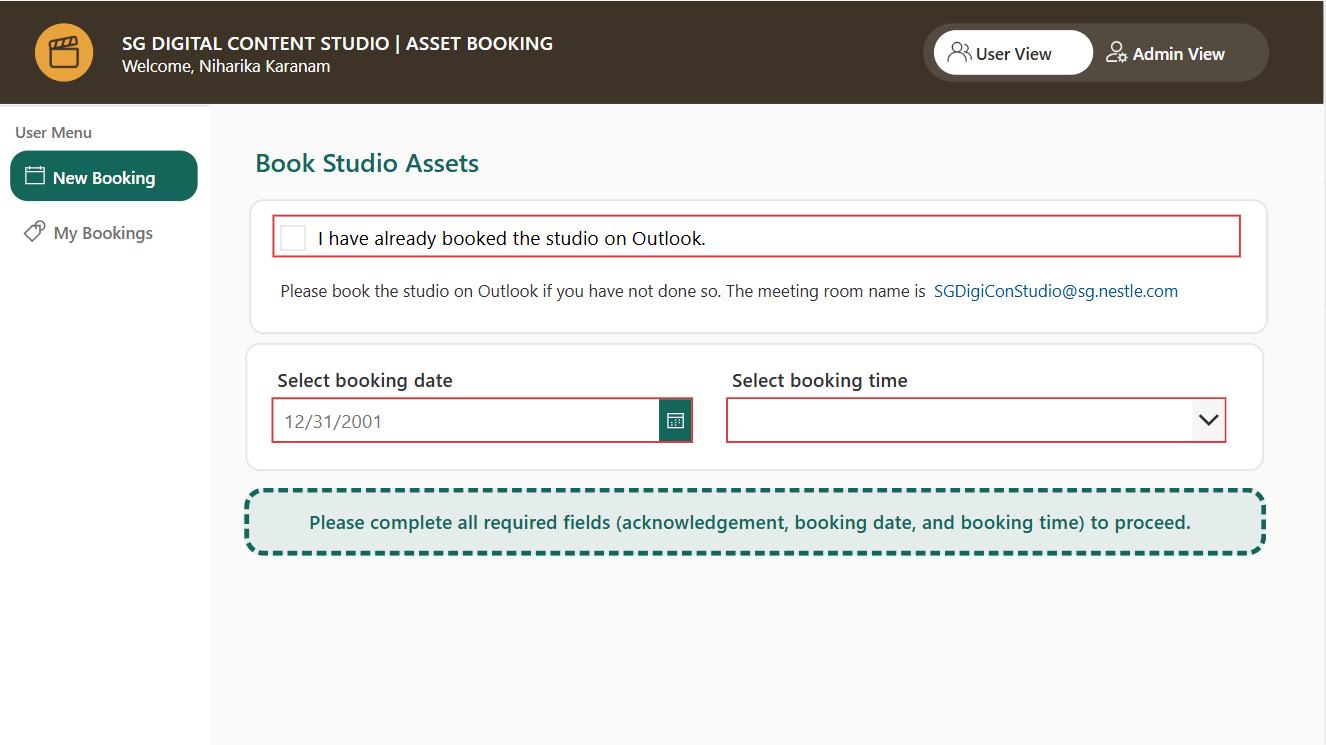
The design needed to show whether a room was free before submission and make the booking summary easier to review.
Studio staff needed a dedicated view for bookings, active loans, returns and changes without relying on hidden app logic.
The team validated the interaction and operational states before connecting the full data and automation layer.
Service model
Requesters start with dates and asset availability rather than a chat with an administrator.
Requests move through pending, approved, active, return and complete states.
Condition checks and evidence belong to the same service rather than a separate informal process.
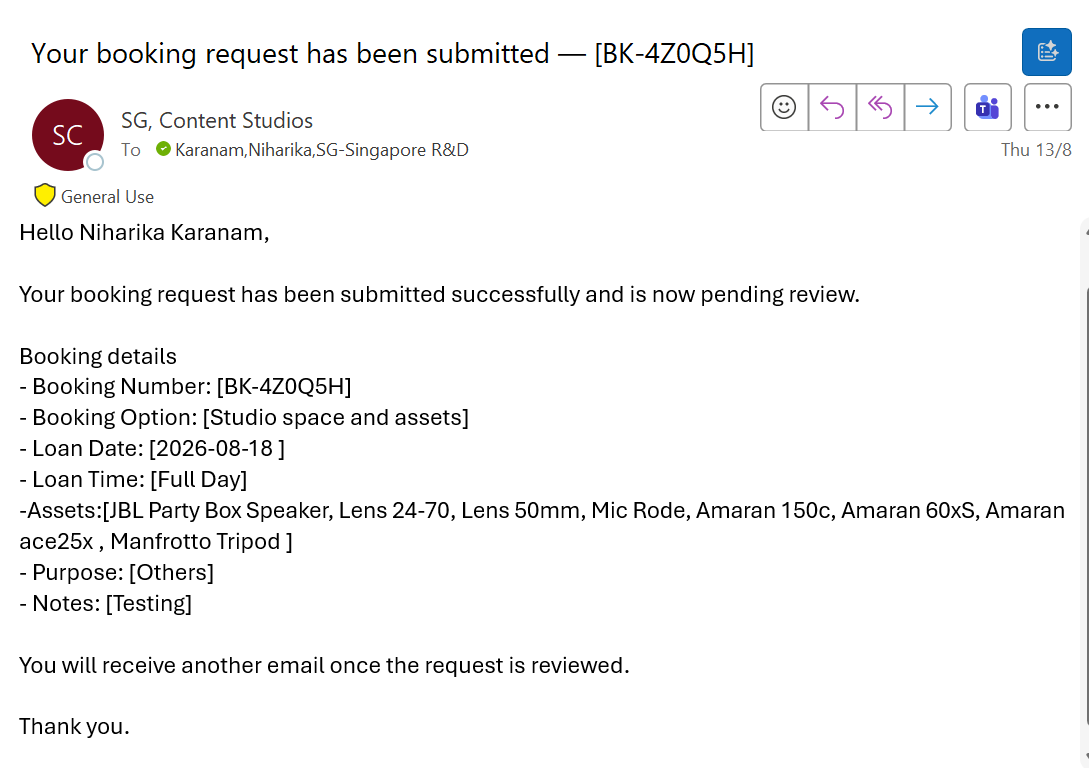
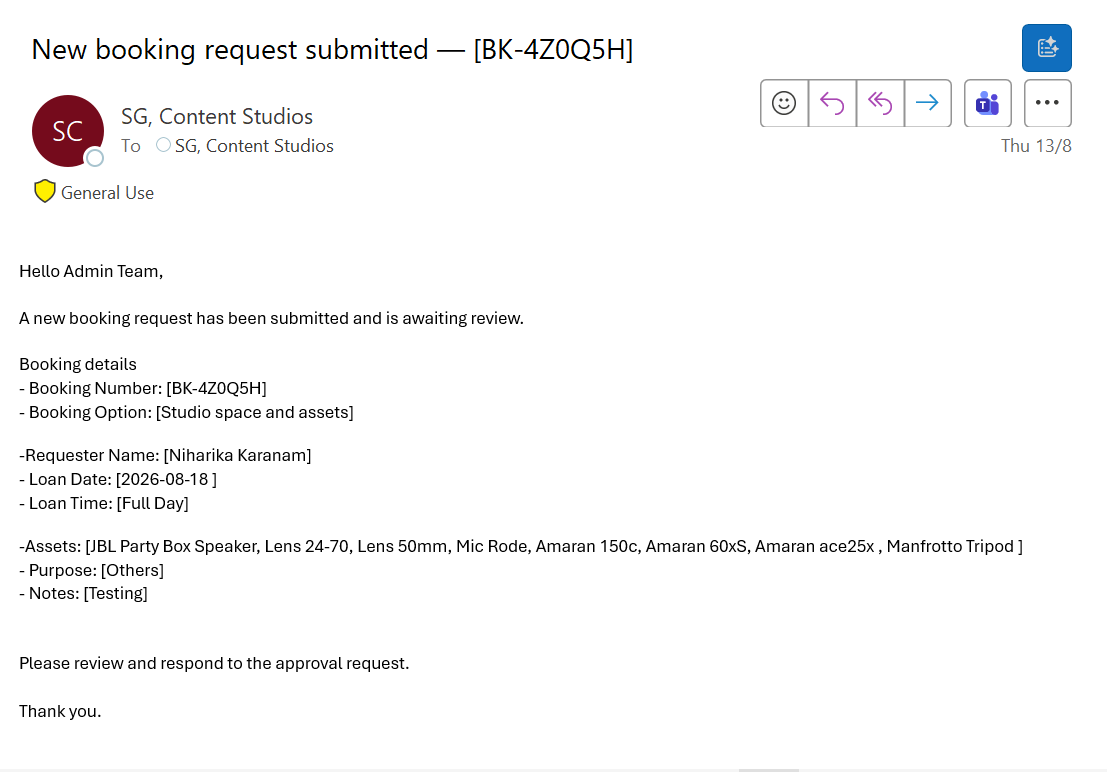
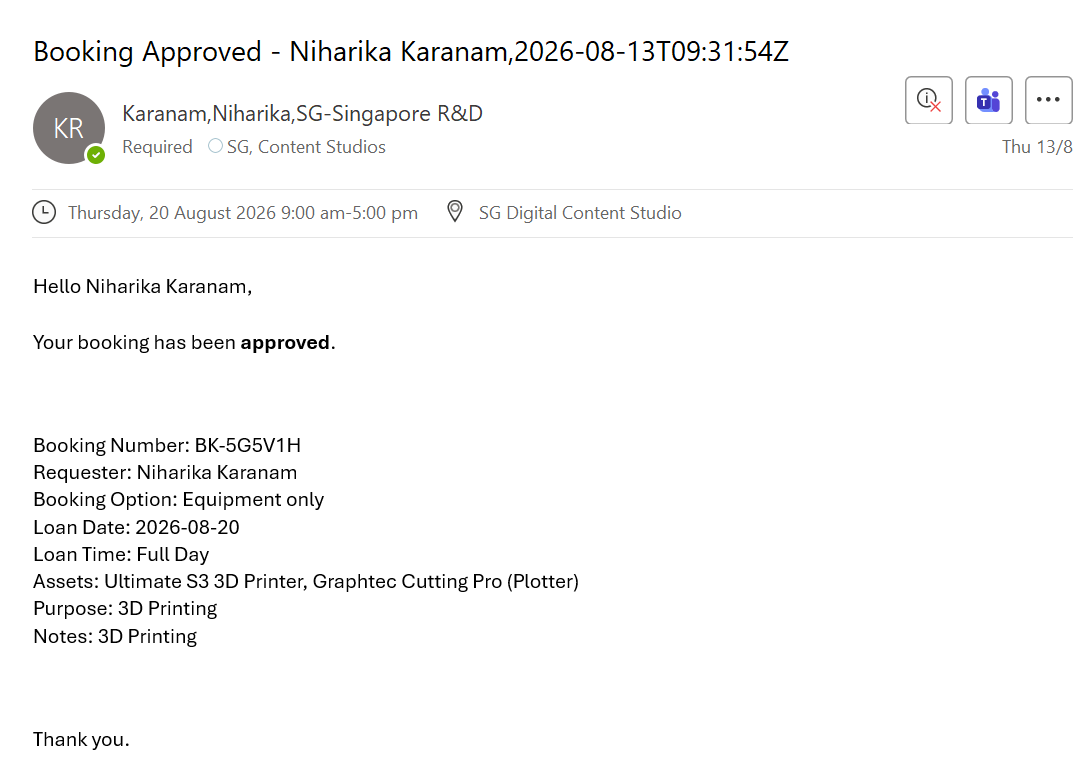
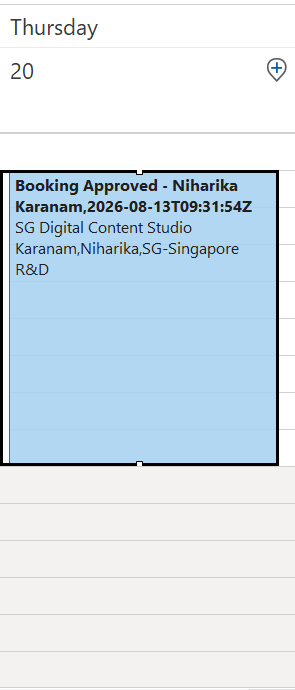
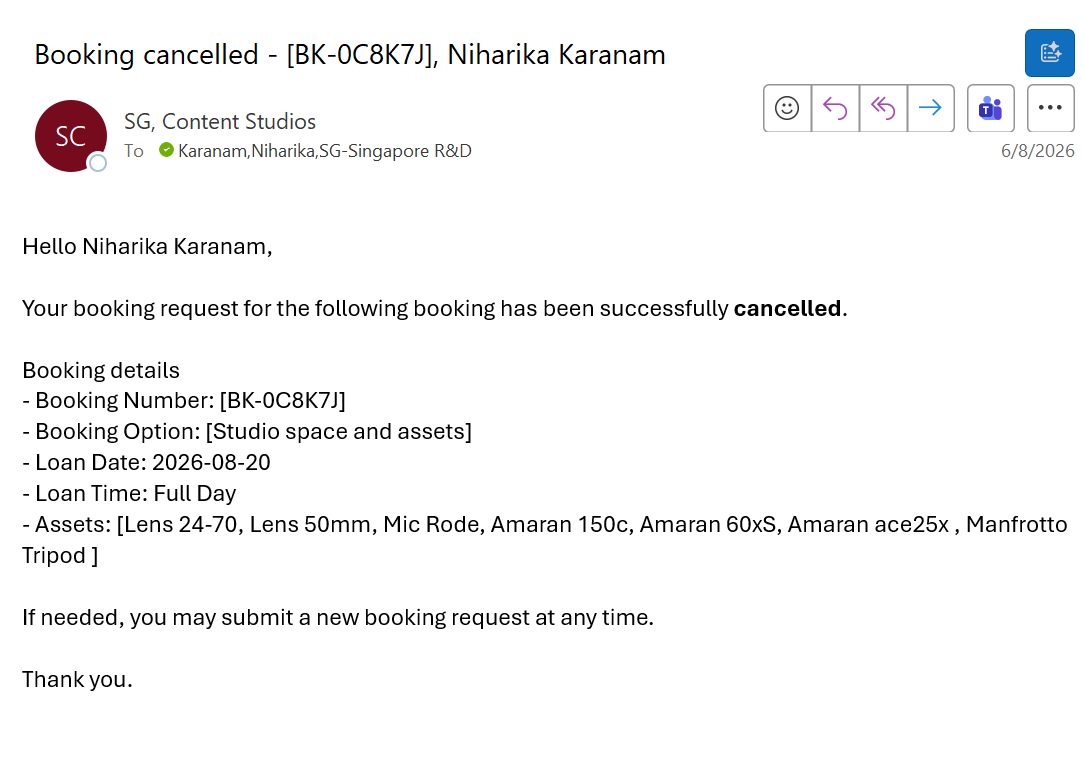
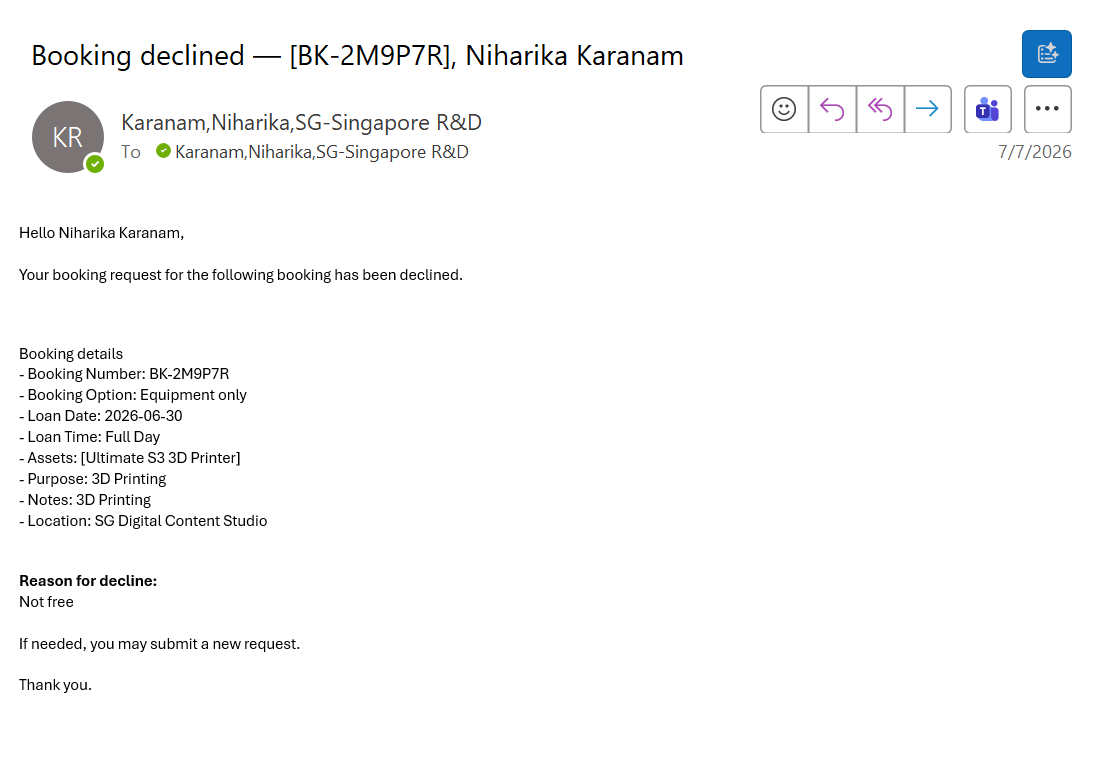
Power Automate sends confirmations, decisions, reminders and calendar invitations from shared status data.
Architecture
Experience
Operational data
Automation
The live React and Vercel build tests interactions. The intended operational implementation uses Power Apps, Microsoft Lists, SharePoint and Power Automate.
Developed requester, administrator and return paths in Power Apps, including state-dependent screens and navigation across the end-to-end service.
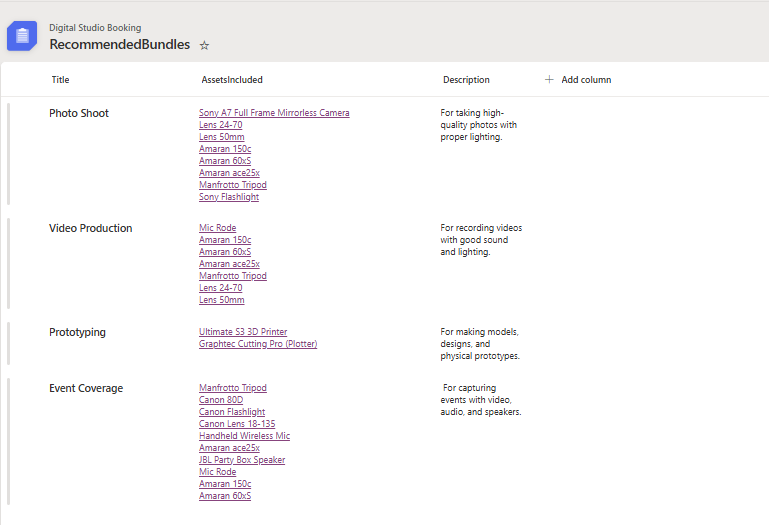
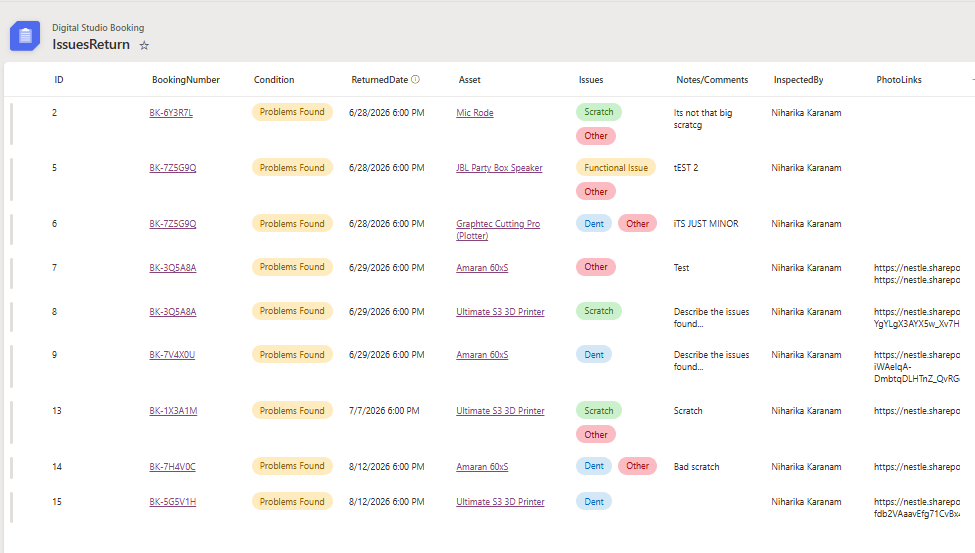
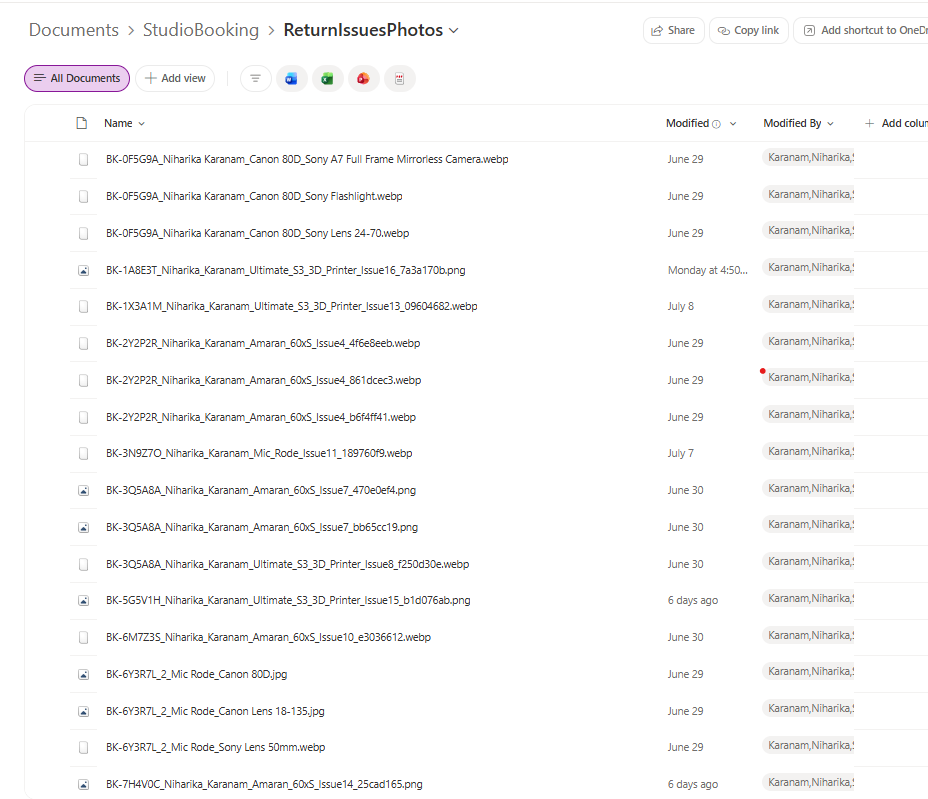
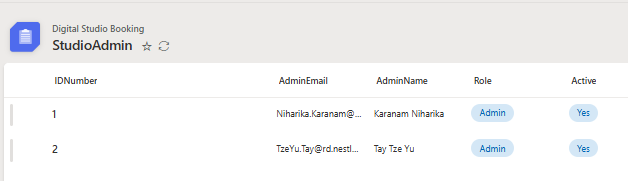
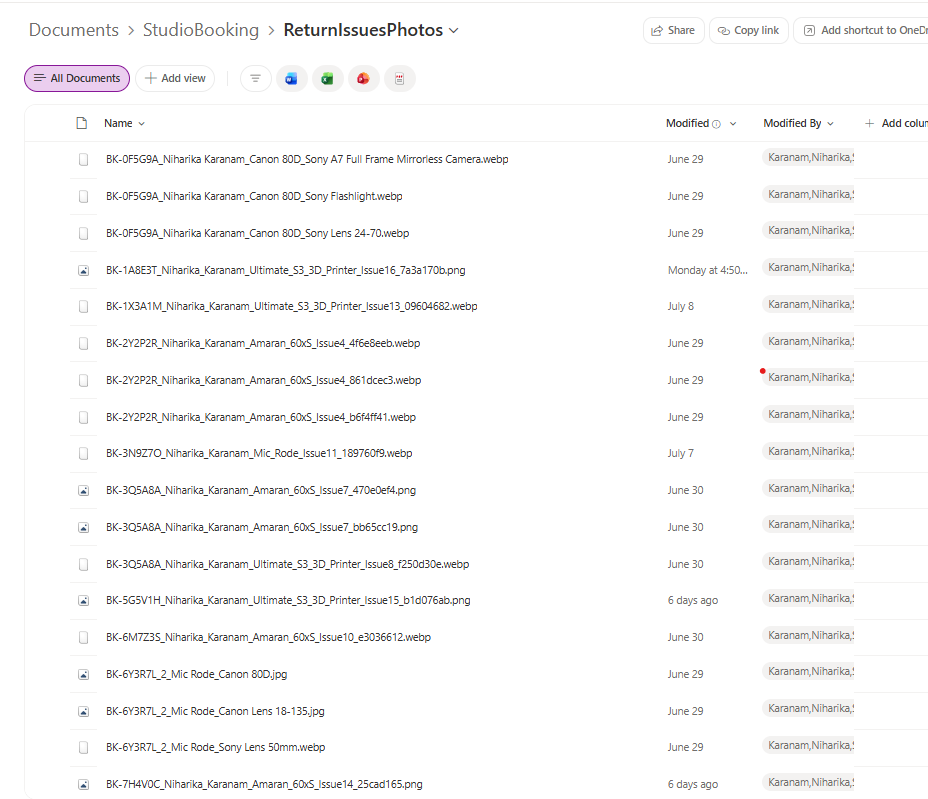
Defined booking, asset, bundle, return-issue and administrator structures, including evidence stored in SharePoint.
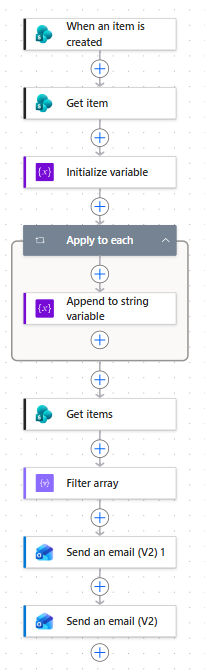
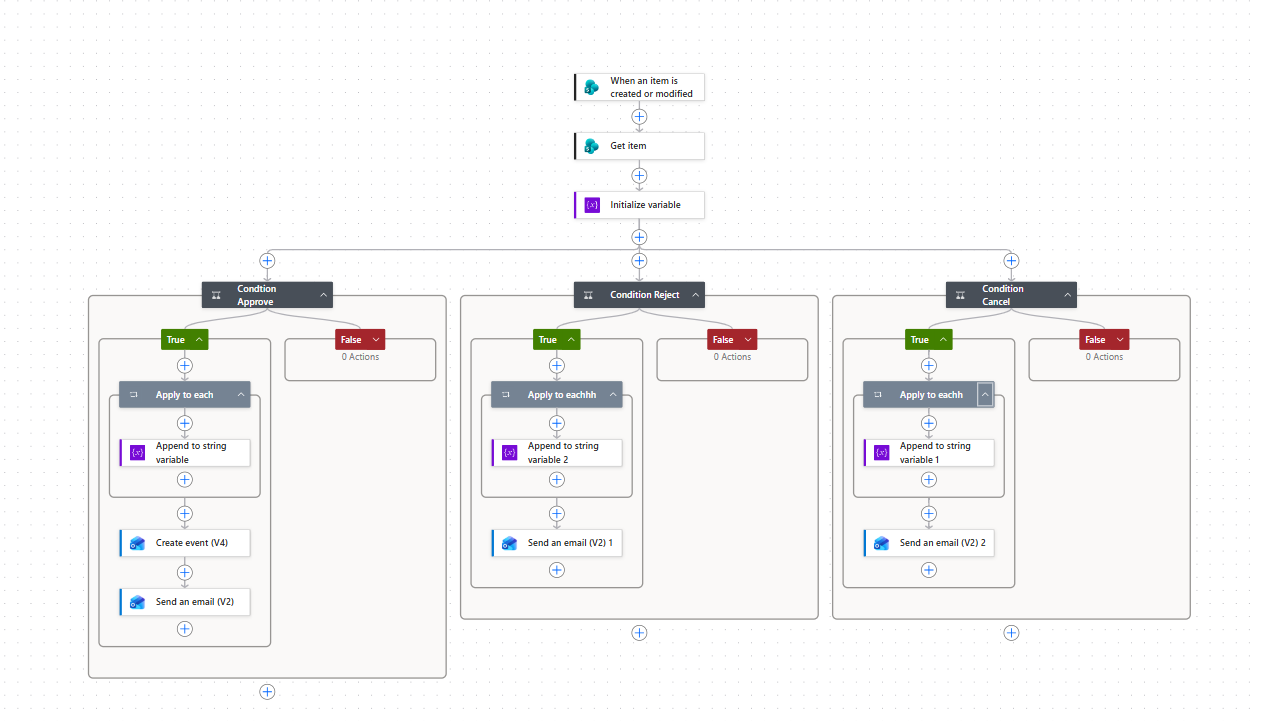
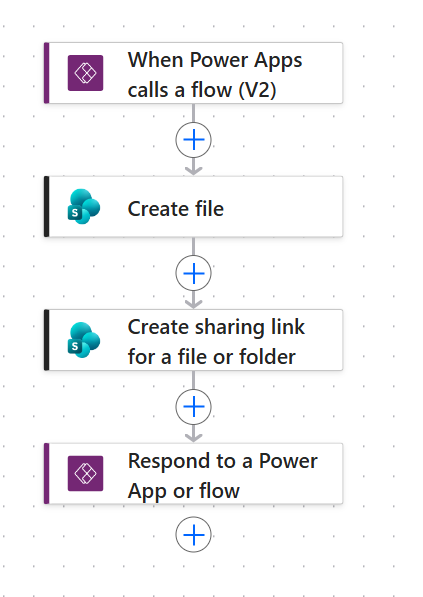
Mapped request, approval, decline, cancellation, calendar and return-photo branches in Power Automate.
Power Platform build evidence
The screenshots below come from the project presentation and document the testing, redesign, Microsoft Lists structure and Power Automate workflows.
Download the full presentationManual prototypes tested booking availability, summaries and administrator controls before the service logic was automated.
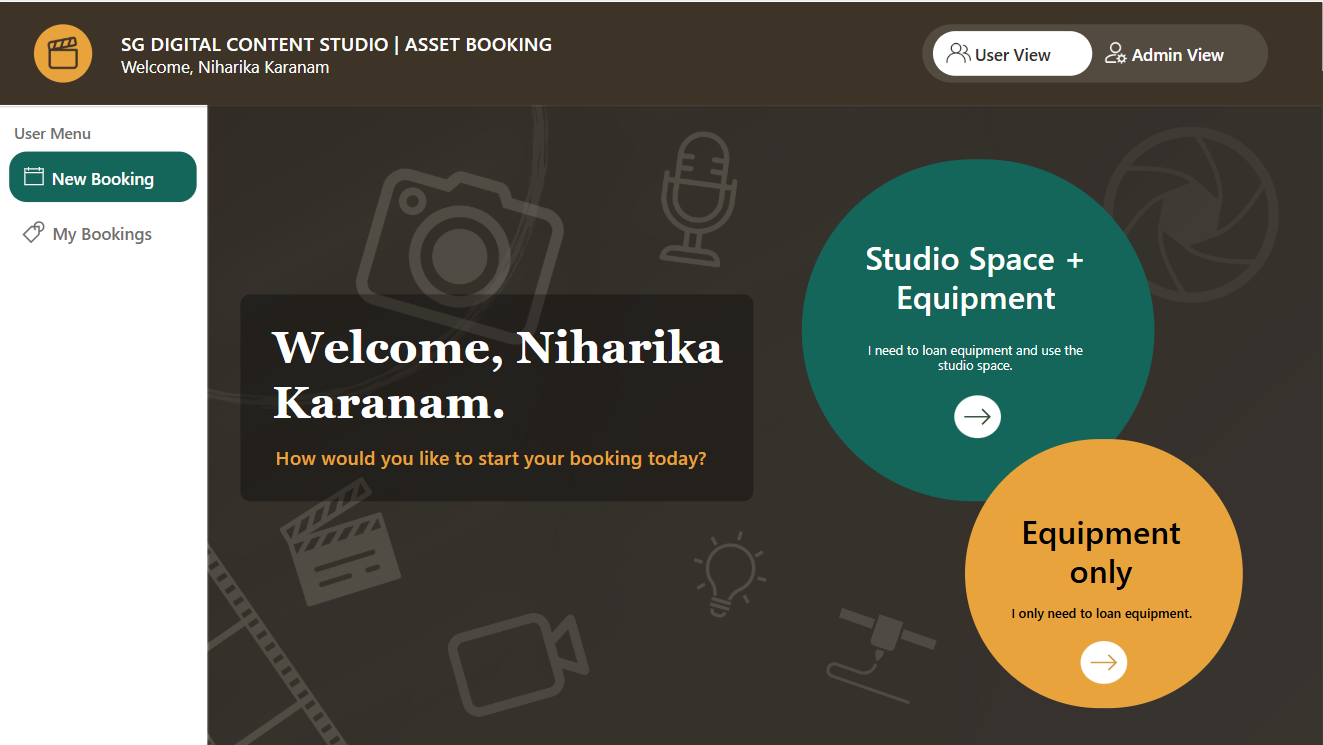
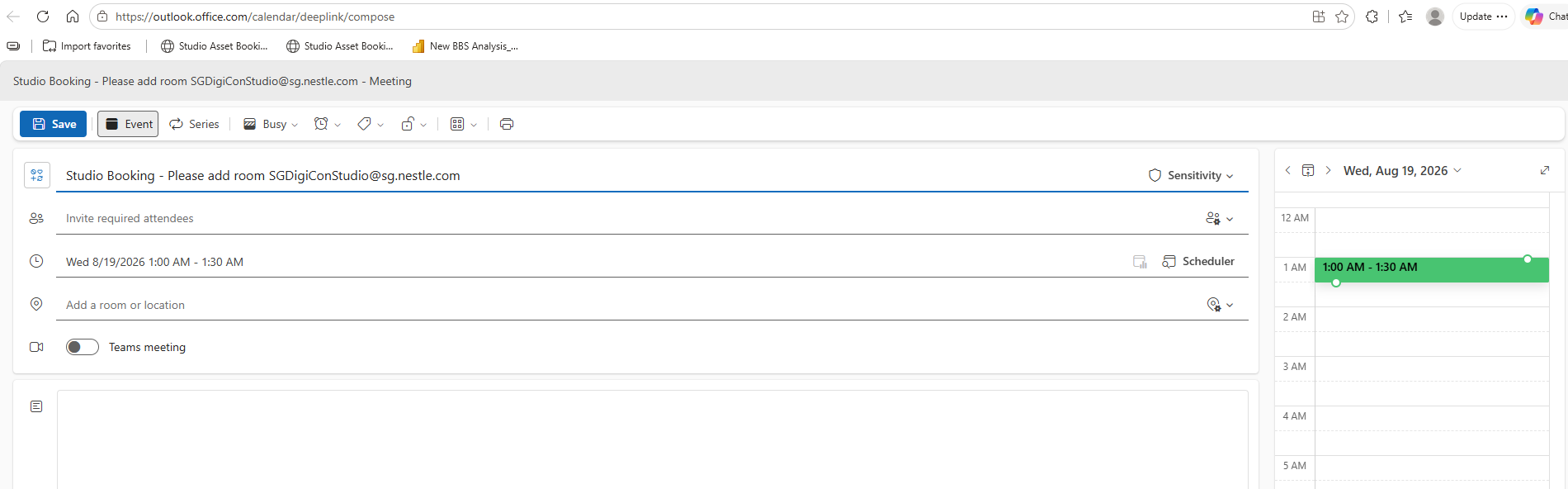
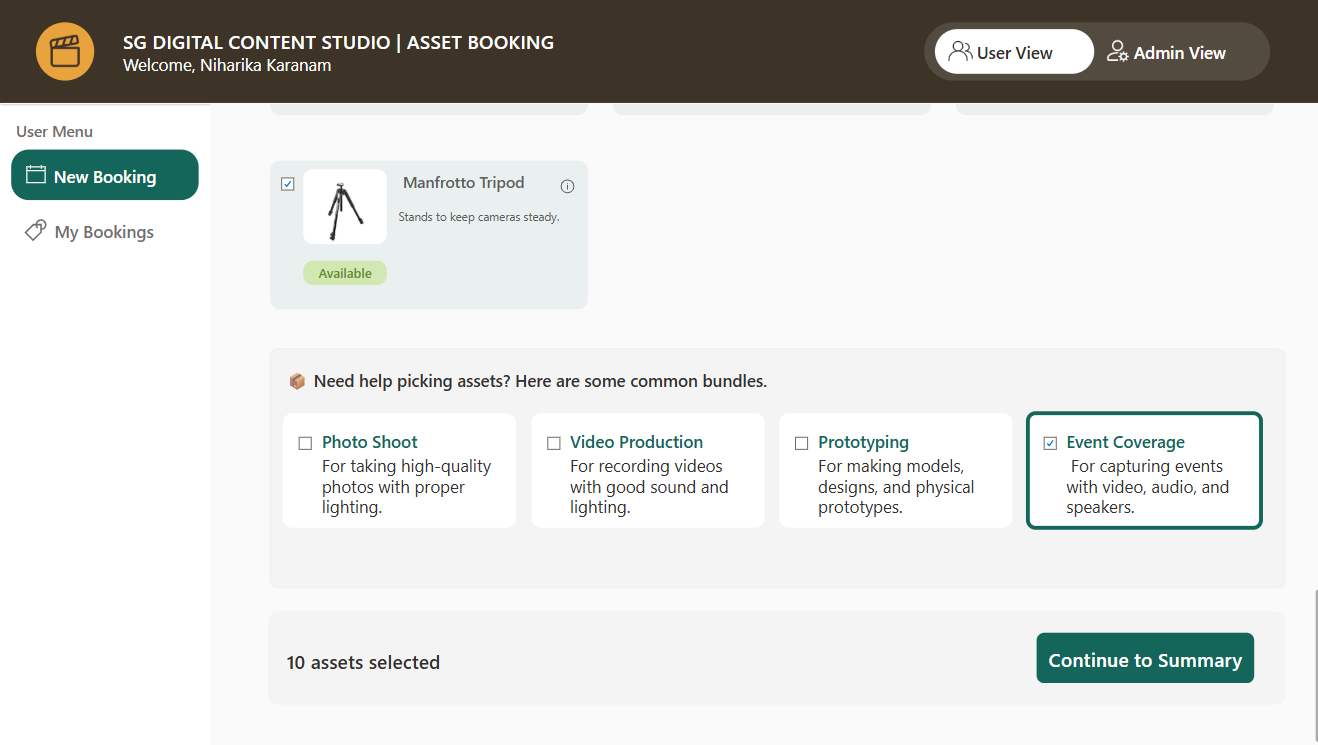
The revised experience separated booking types, clarified dates and declarations, exposed Outlook availability, improved browsing and created a dedicated administrator view.
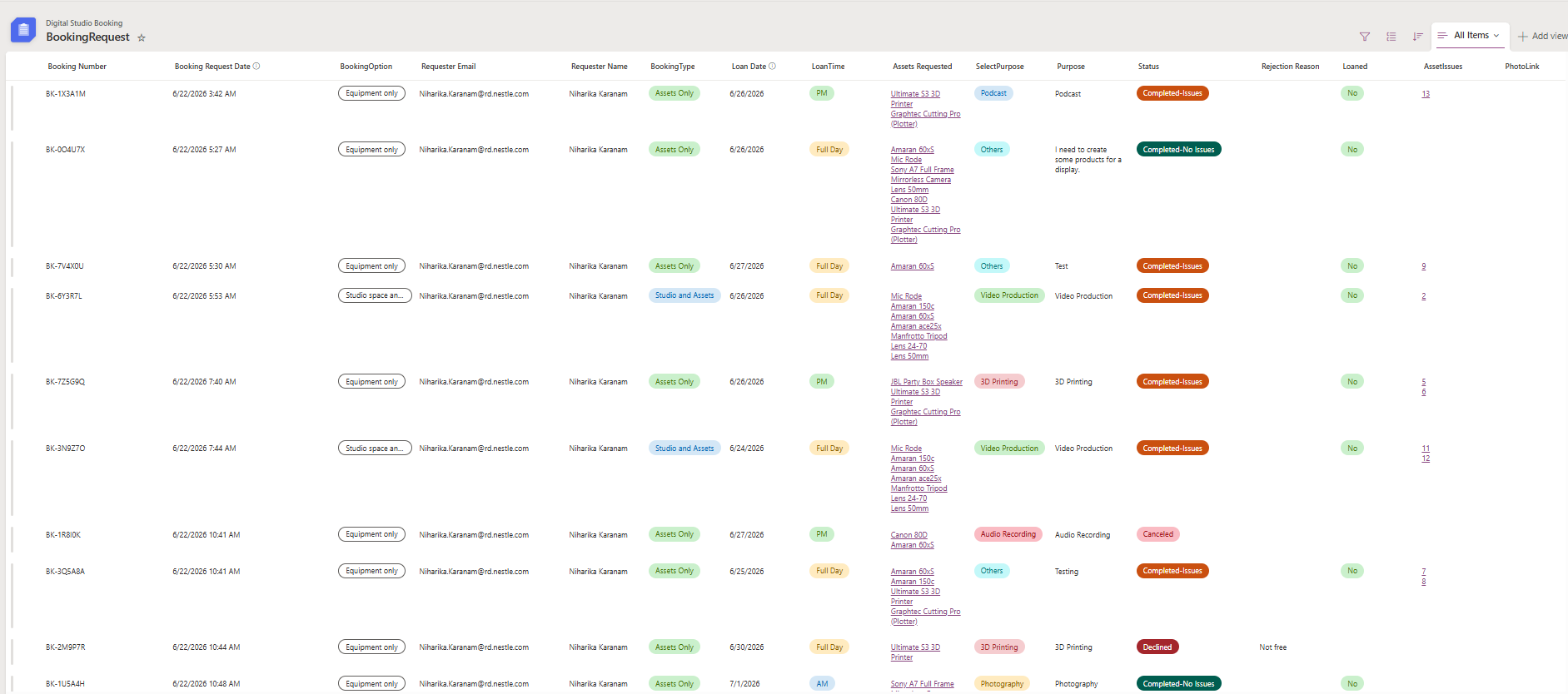
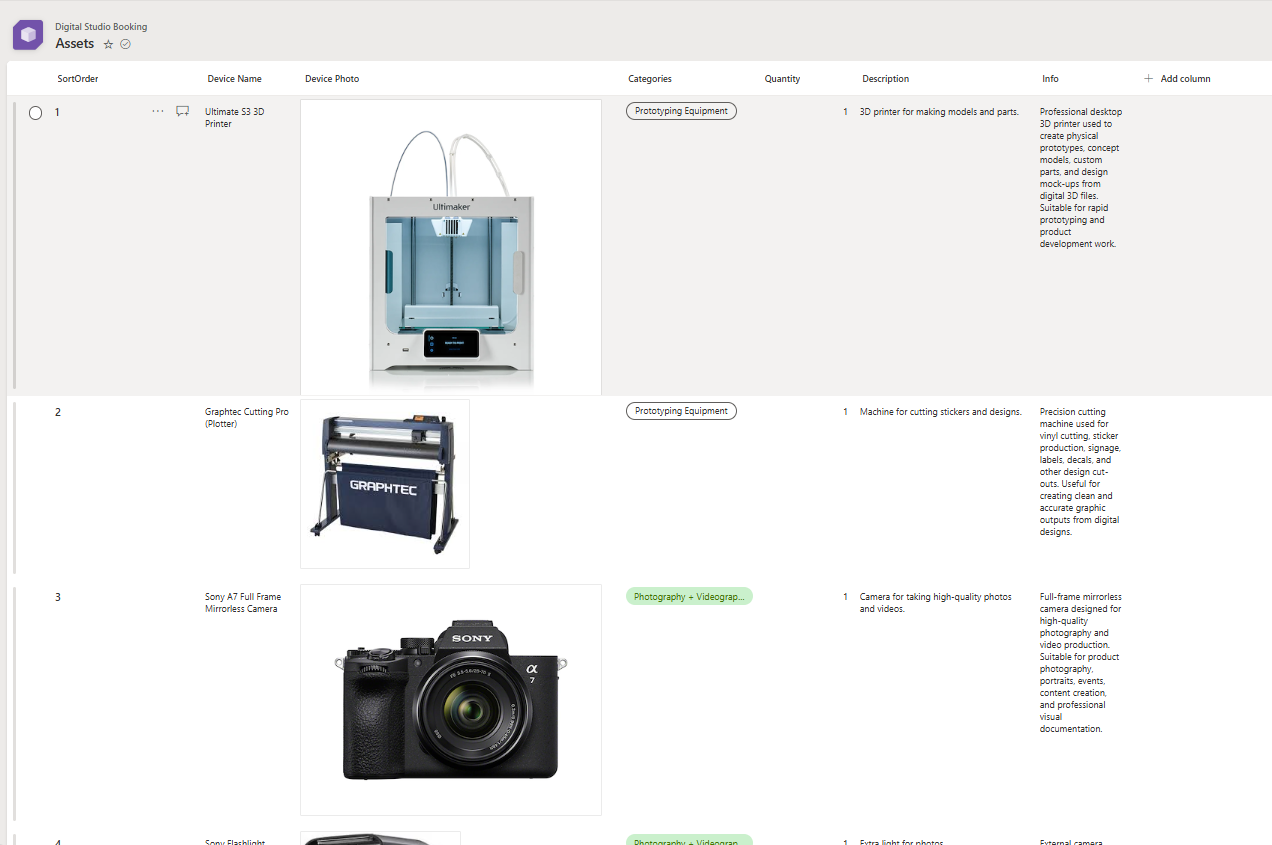
Microsoft Lists and SharePoint hold the booking record, asset catalogue, recommended bundles, return issues, evidence and administrator access.
Power Automate responds to booking and return states, sends the right communication and stores evidence against the operational record.
The service in screens
These screengrabs come from the deployed interaction prototype. The live prototype remains available for the full interaction.
The first decision separates studio and equipment from equipment-only requests so the rest of the form stays relevant.
My Bookings makes request status, dates and progress visible without another follow-up message.

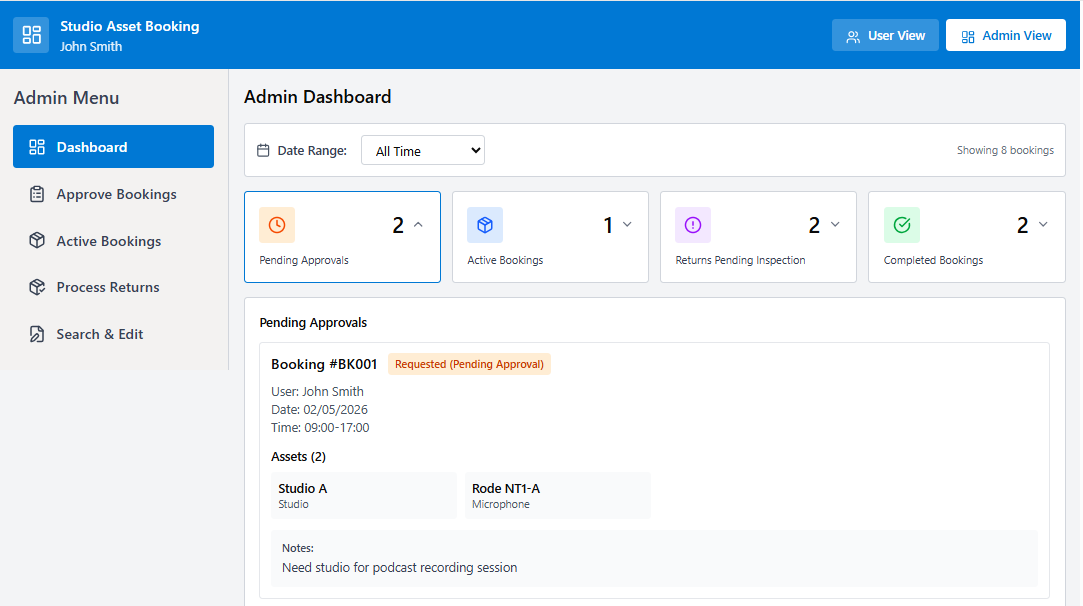
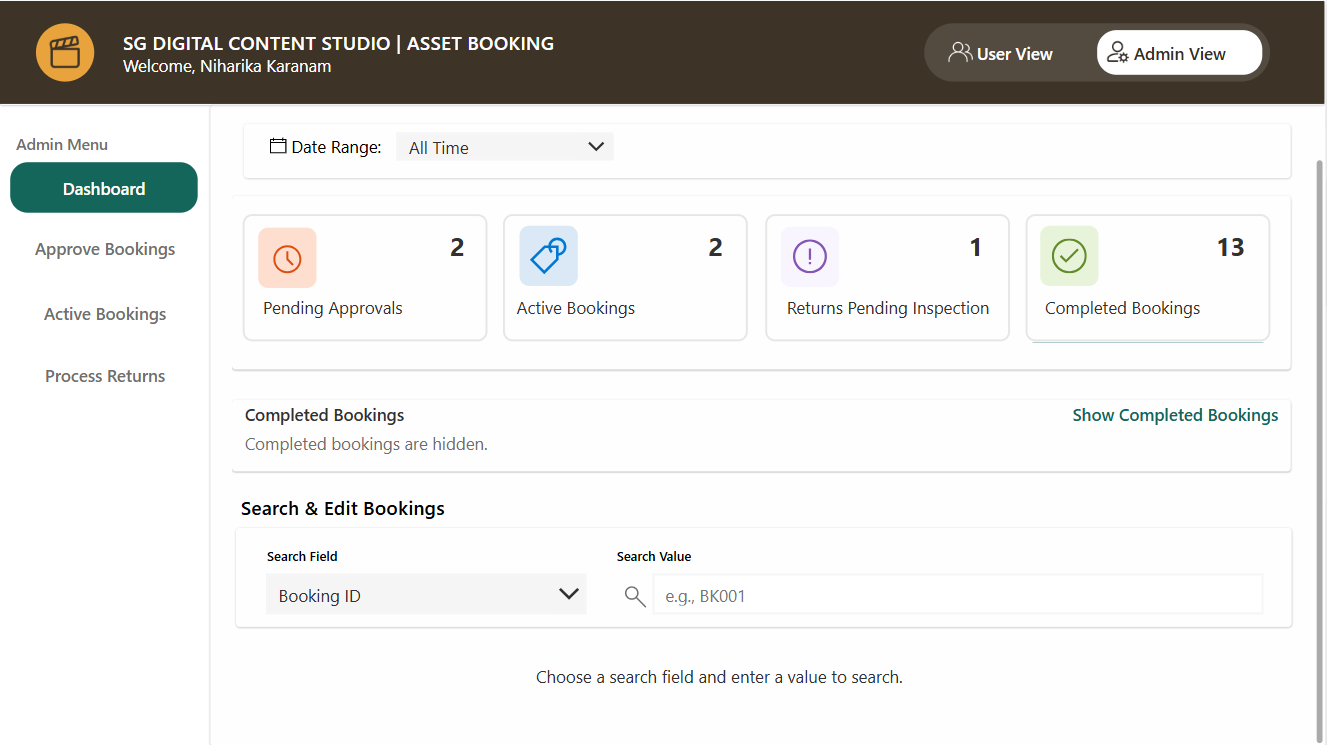
The dashboard surfaces pending approvals, active bookings, return work and completed activity so the team can manage exceptions instead of rebuilding the queue.

Booking management centralises approval decisions, request details and status changes in one operational view.

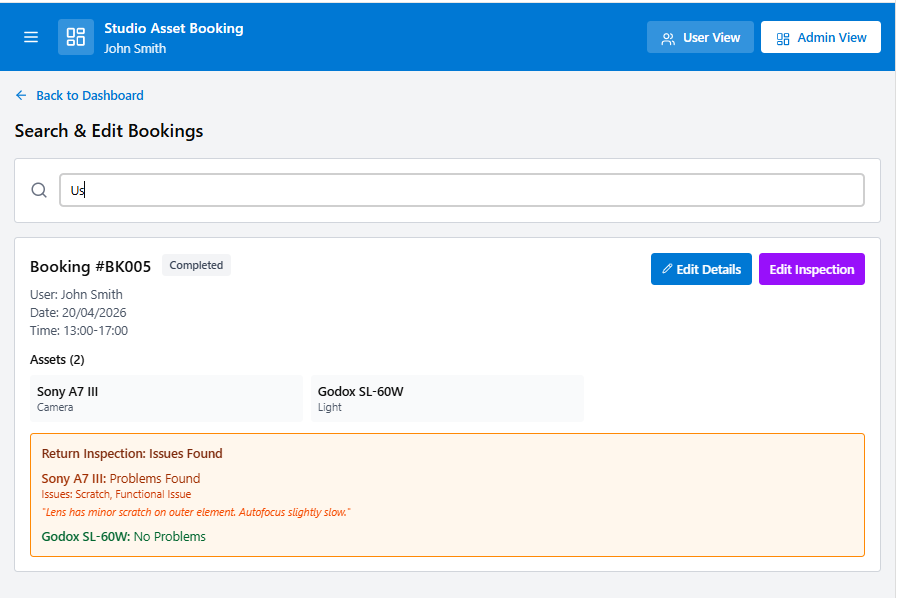
Screens 5–6 · Edit booking
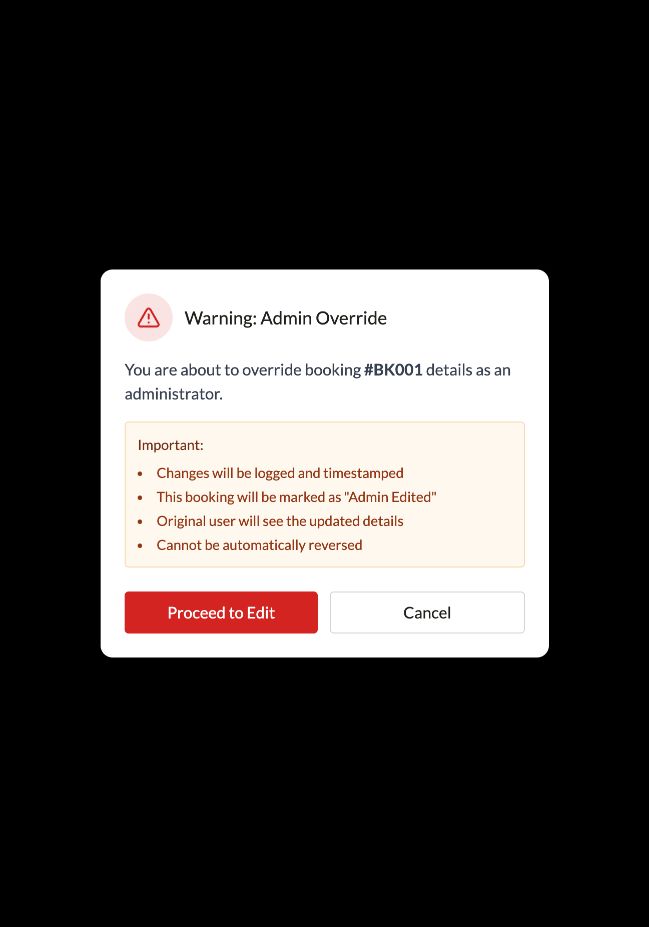
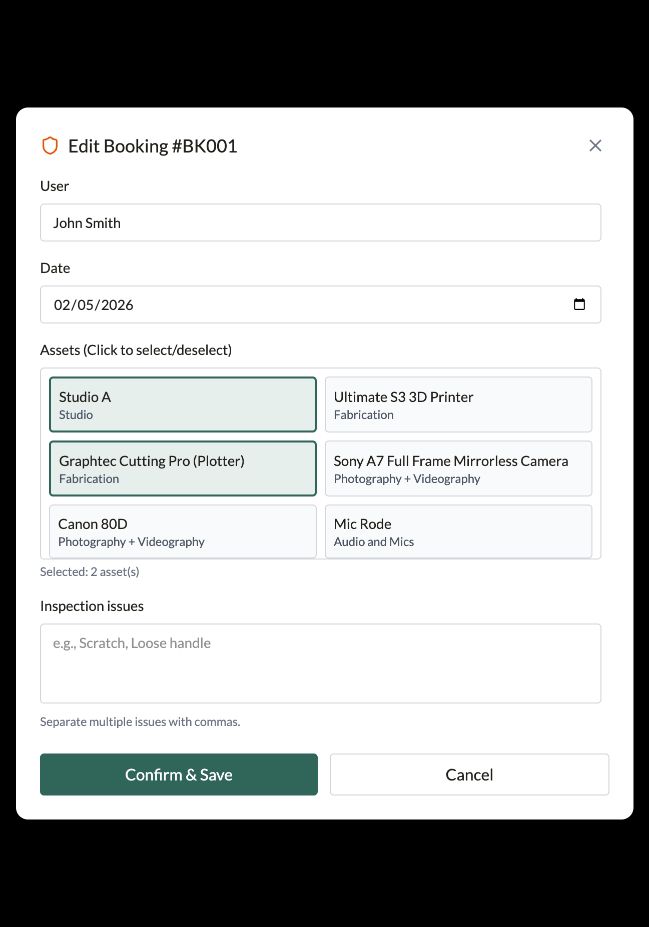
Selecting Edit Details first surfaces an override warning. The administrator can then update the user, date, selected assets and inspection notes without changing the booking silently.
Active-booking views reduce ambiguity around who has which equipment and when it is due back.

Returns become a formal stage with condition checking rather than an informal hand-back with no consistent record.

Outcome
Employees can see the booking path and status instead of relying on informal follow-ups.
Approvals, active loans and returns become visible operational queues.
Structured data, SharePoint evidence and automated communication create a clearer record of the asset lifecycle.
The next useful measures are booking turnaround, manual follow-ups, conflicting requests, overdue returns and condition issues. The case study does not claim unvalidated productivity percentages.
Reflection
As the Power Apps Developer, Business Analyst and UX/Service Designer, I combined interaction design with app development, data architecture and automation. The solution used tools the organisation already supports while keeping a separate live prototype for testing the experience.
Open live prototype